Build a scene
Observer: ground or orbit
Observe from a ground site, or from a satellite defined by its TLE.
The Station tab chooses the observer.
Ground station
Section titled “Ground station”Pick a built-in site (Haute-Provence, Calern, Pic du Midi, Toulouse, Les Makes, La Palma, Paranal, Mauna Kea), a station from a loaded stations file, or enter latitude, longitude and altitude (WGS84). The site also carries its extinction coefficient and night sky.
Observer in orbit
Section titled “Observer in orbit”Switch to Satellite in orbit (TLE) for space-based space surveillance.
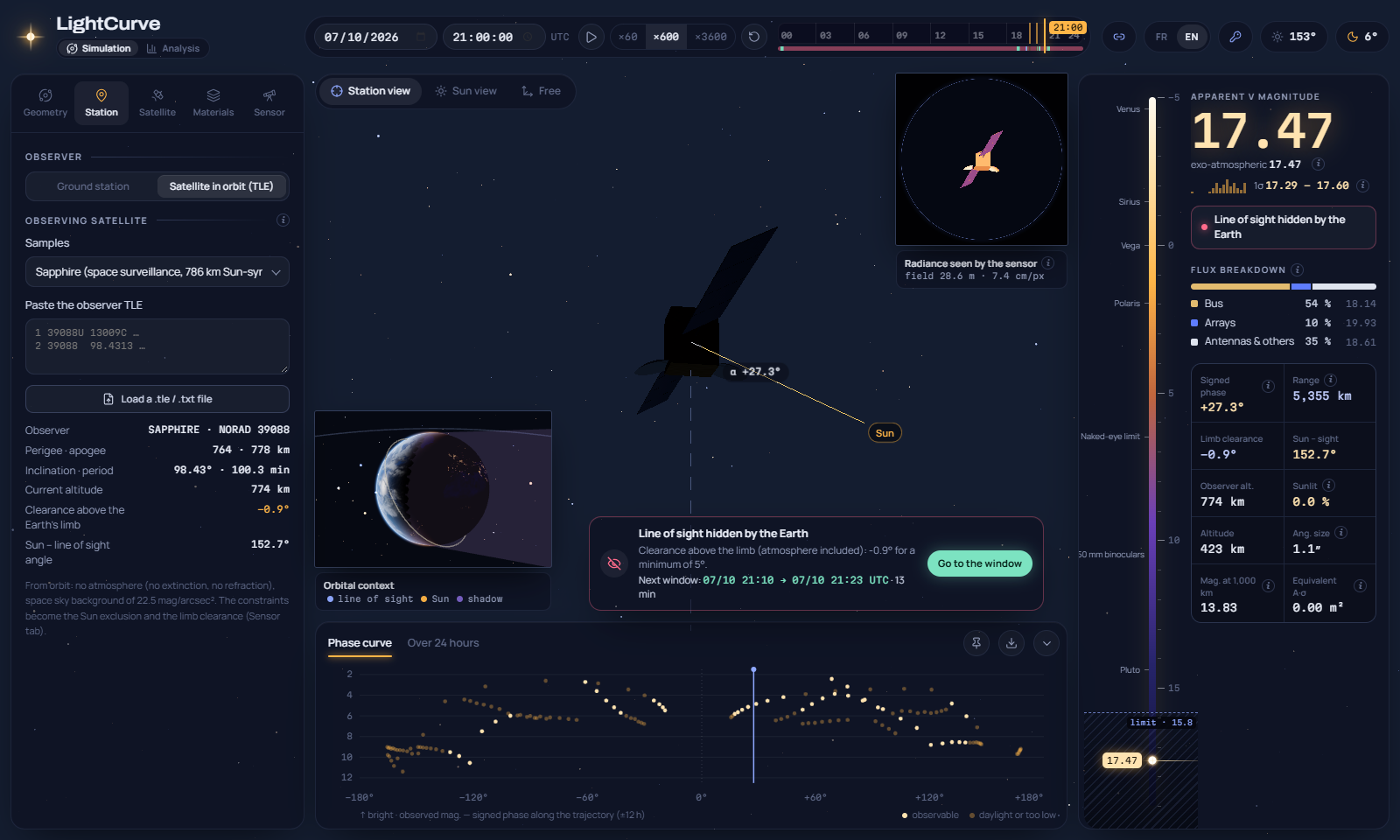
Pick Sapphire or NEOSSat (786 km Sun-synchronous orbits), any sample object, paste a TLE or load a file. Its position is propagated with SGP4 at every instant.
In the Geometry tab, preferably with its own TLE or OEM. Phase and az/el modes also work: they refer to the local frame of the observer.
In the Sensor tab: Sun exclusion (smallest angle between the line of sight and the Sun, 40° by default) and minimum limb clearance (5°).
What changes in orbit:
- no atmosphere: no extinction, no refraction, no airmass;
- the sky background is the space background, 22.5 mag/arcsec² (zodiacal light at mid ecliptic latitudes) when it is estimated;
- the line of sight is hidden when the segment from the observer to the target crosses the Earth or its atmosphere (100 km);
- the local frame of the observer has “up” along the radial direction, east and north as on the ground below it;
- the results panel shows the limb clearance, the Sun–sight angle and the observer altitude instead of elevation, azimuth and airmass.